Your faceless channel, on autopilot
Type a topic. We write, illustrate, voice and assemble a fresh episode on your schedule — you review and post.
Made with MakeFacelessVideo
Faceless Videos for Any Niche
Every clip below came out of the same pipeline you get — one topic in, a finished video out. Tap one to watch it with sound.
Your first video is free — no card needed
PICK A LANE
Channels You Can Run With This
Faceless channels that grow stay in one lane. Start from a niche we've already tuned — visual style, pacing, and prompt presets included — or bring your own.





From One Topic to a Finished Episode in 4 Steps
Set it up once. Every episode after that keeps the same look, voice and caption style.
Step 1
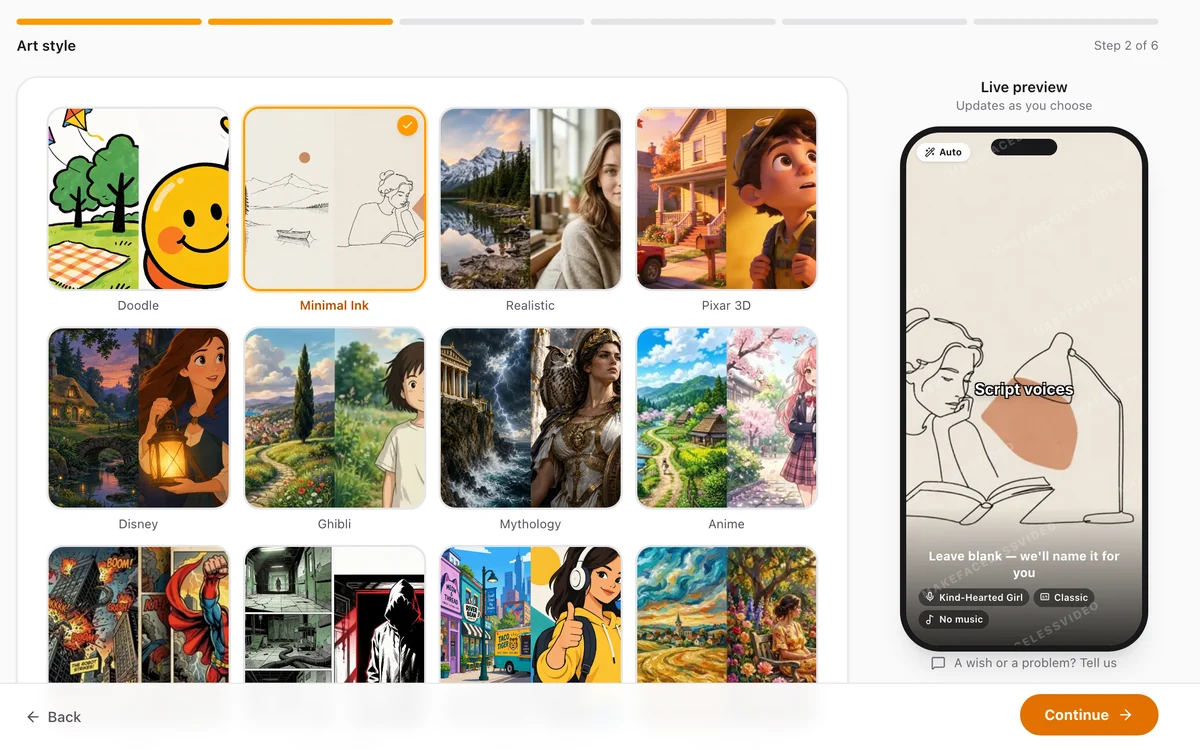
Pick a Niche and an Art Style
Type a one-line topic or paste your own script. Choose one of 21 art styles — or describe your own — and every episode keeps that look, so your channel reads as one series instead of a collage.
Step 2
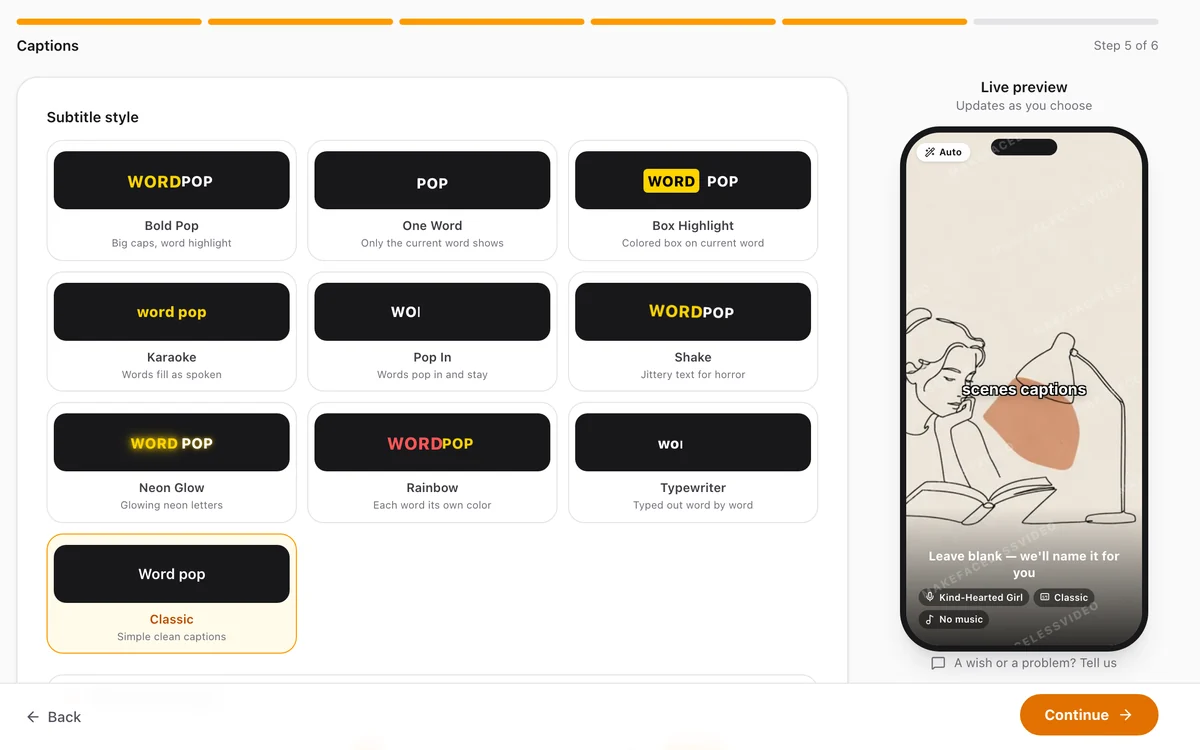
Choose the Voice, Music and Captions
Preview 93 natural AI voices, pick a music mood or upload your own track, and choose a word-by-word caption style. You hear and see every choice before anything is made.
Step 3
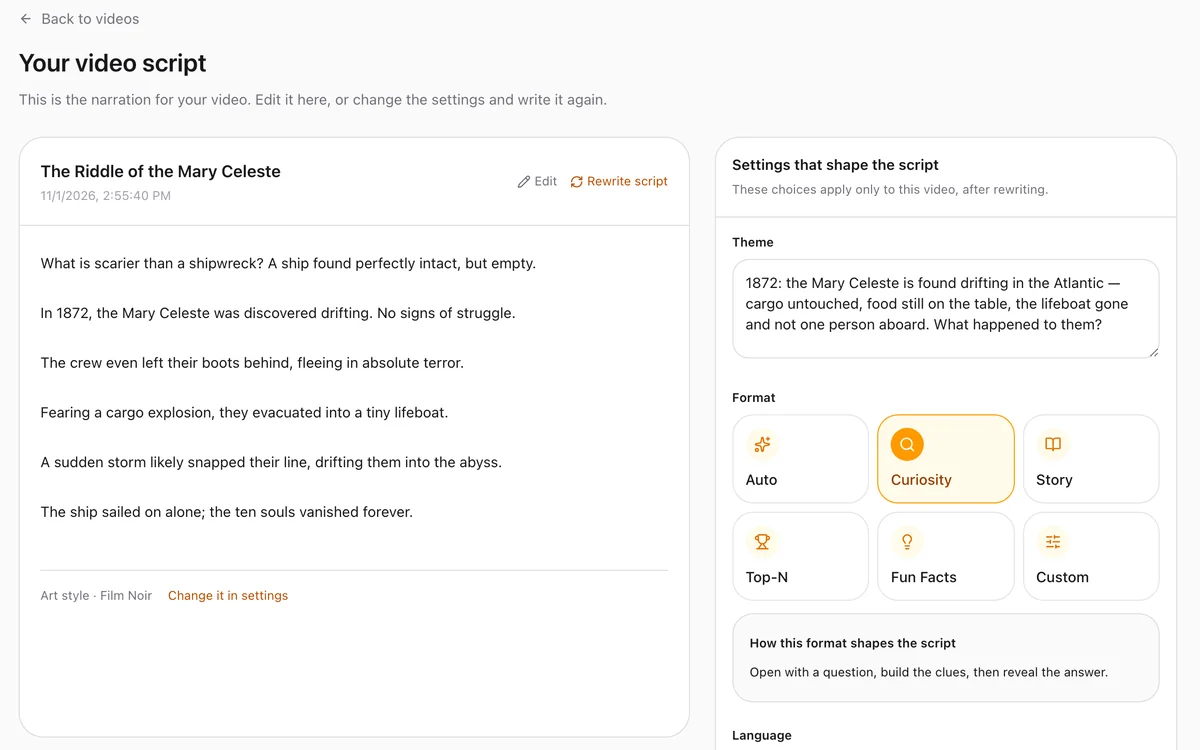
Read the Script Before It Is Made
Every episode starts as a script you can read, rewrite or edit. A video slot is only used when you press Generate — rewriting the script is free.
Step 4
Get the Video, Fine-Tune, Post
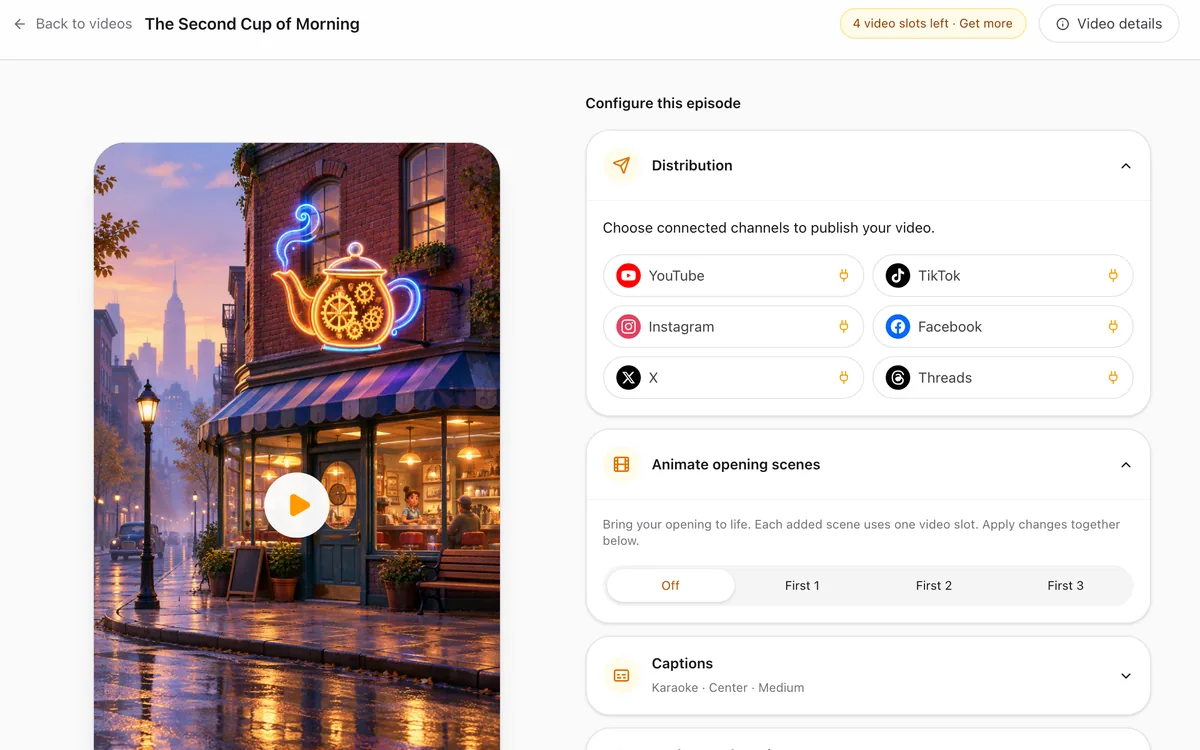
About ten minutes later the episode is ready: images, voice, captions and music in one MP4. Change the captions or music — or the voice on paid plans — and re-render for free. Download it, or let Series Autopilot publish on your schedule through a connected channel.
Set a Schedule. Episodes Make Themselves.
Pick a topic and a cadence, then review or download finished episodes. Auto-publishing runs through a connected publishing service, subject to channel availability and connection capacity.
- 1
Topic
One line is enough: "Roman history what-ifs", "cabin sleep stories", "AITA threads".
- 2
Cadence
Daily or three times a week — your call. Fresh angles that steer clear of recent episodes.
- 3
Review
Each episode lands in your queue. Approve from your phone, tweak what you want.
- 4
Publish
Download the finished video, or use the publishing service to schedule it to an available connected channel.
Scheduled generation
- Auto-generation on your posting cadence — daily to weekly
- Fresh angles that avoid repeating recent episodes
- Review each episode first, or let it publish on its own — your call, per series
- Auto-pauses if you run out of video slots — no surprise charges
Publishing through connected channels
- Supported platforms depend on publishing service availability
- Schedule connected channels in your timezone
- Auto-publish or review-first — your call, per series
- If publishing is unavailable, download and upload manually
Publishing options — subject to service availability
Create a series to queue the first episode. Publishing needs an available channel connection; finished videos can also be downloaded.
What You Actually Get
Everything between "I should start a channel" and a file you can post — script, voice, visuals, captions, music. No extra apps, no stock-footage subscription.
Scripts That Don't Run Dry
Type the topic and get a tight script — hook, beats, payoff. Read it before anything is made, rewrite it for free, or paste your own. The next episode takes a fresh angle on the same niche.
Multi-Platform Sizing
Choose 9:16 for TikTok and YouTube Shorts, or 16:9 for desktop YouTube. Each video renders in the aspect ratio you select.
93 AI Voices, 15 Languages
Natural narrators in English, Spanish, Portuguese, French, German, Japanese and more — preview any voice before you pick it. Paid plans add Premium Voice, which acts out each line with the right emotion.
Captions That Match the Cut
Word-by-word captions timed to the narration, in 9 styles: bold pop, karaoke, highlight box and more. Most people scroll with the sound off — your videos stay readable.
AI B-roll, Per Scene
Each scene of the script gets its own generated image in your chosen style — not stock footage. Paid plans can animate the opening scenes into real motion.
Music That Fits
21 royalty-free tracks sorted by mood — calm, dark, epic, playful — or upload your own. Volume and fades are handled for you.
Autopilot Your Series
Set a topic and a cadence and new episodes are made on schedule. Review them first or let them publish through a connected channel. Run out of video slots and the series pauses — no surprise charges.
Change It Without Starting Over
Finished video not quite right? Switch the caption style, the music or the voice and re-render in a minute or two — no new images, no extra slot.
Three Ways to Make Faceless Videos
Compare the work involved in keeping a channel supplied with videos.
| Feature | MakeFacelessVideo | Hiring an editor | Editing it yourself |
|---|---|---|---|
| Turnaround | About 10 minutes, hands-off | 2–5 days | 2–4 hours |
| Script included | Yes — a topic is enough | Usually extra | You write it |
| Voiceover & captions | Built in, word-synced | Extra line item | Manual sync |
| Consistent look across episodes | Style-locked by default | Depends who's free that week | Depends on your energy |
| Daily posting, sustainably | Batch a week in one sitting | Budget × 30 | Burnout by week three |
| Watermark-free, commercial use | Included on paid plans | Check the contract | Yours |
Faceless Video Works For Lots of Channels
Faceless video isn't one niche — it's an operating model. These channel types fit it especially well.


BEFORE YOU PAY
Straight Answers, No Fine Print
What you get, what it costs and what happens when something goes wrong.
Your first video is free
One 30-second video every month on the free plan, no card needed. It carries a watermark so you can judge the quality before paying.
Read the script before you spend
Every episode starts as a script you can read and rewrite for free. A video slot is only used when you press Generate.
A failed video costs nothing
If a video fails to generate, its slot goes back to your balance automatically.
Fix it without paying again
Change the captions or music — or the voice on paid plans — and re-render for free. The images stay, the slot stays.
Clear price per video
Plans start at $19 a month for 12 videos. Each plan shows exactly how many videos you get and what one costs.
Cancel anytime
Stop your subscription from the Account page in two clicks. You keep access until the end of the period you paid for.
Common Questions About Faceless Videos
What creators ask before their first run with the faceless video generator.
Your Channel Doesn't Need Your Face
Your first video is free — no card needed. See the quality for yourself, then pick a plan when you want more.
Free plan · No card · 1 free video every month